

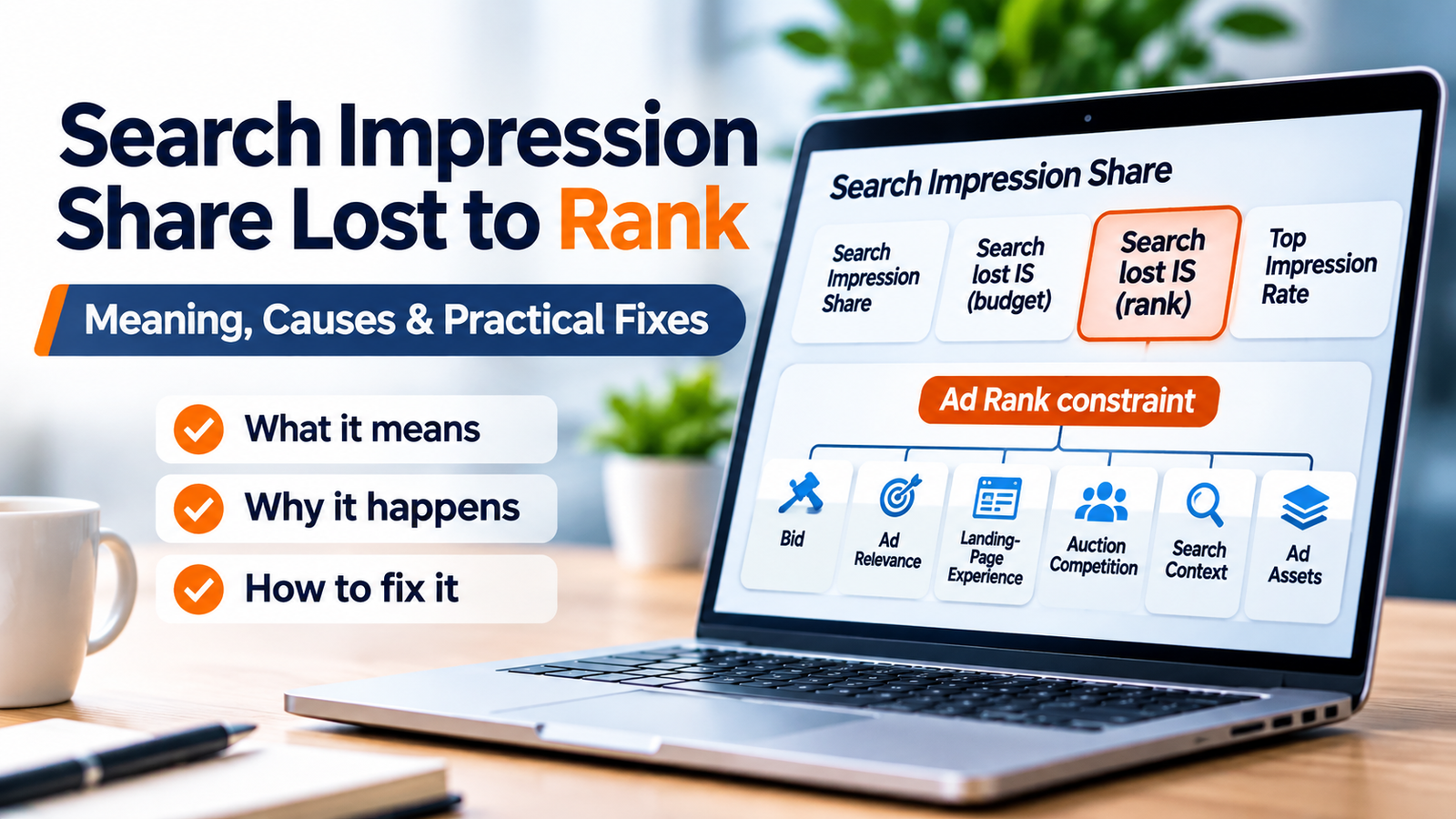
Search Impression Share Lost to Rank is a Google Ads competitive metric that estimates how often your Search ads were not shown because their Ad Rank was not high enough in the auction. It helps you identify an auction-competitiveness constraint, but it does not tell you to raise every bid, increase bids by the same percentage, or chase the top ad position at any cost.
Google labels the column Search lost IS (rank). The useful question is not simply how much visibility you are losing, but why your ads are not competitive in the auctions that matter and whether improving that competitiveness can produce more valuable clicks, leads or sales. This guide explains the metric, how it differs from budget-related loss, where to find it and how to improve it without making changes that damage campaign economics.
If you need the broader definition first, read our guide to Impression Share in Google Ads. For the other major visibility constraint, see Search Impression Share Lost to Budget.
What Search lost IS (rank) measures
Google defines Search lost IS (rank) as the percentage of time your ads were not shown on the Search Network because of poor Ad Rank in the auction. In practical terms, Google estimates the Search opportunities for which your campaign was eligible, then identifies the share in which your ad did not appear because its Ad Rank was not sufficient.
It is an estimated visibility metric, not a direct count of missed customers. A value of 38% does not mean that 38% of people who searched for your keywords were lost, that 38% of your clicks disappeared, or that your bids are 38% too low. It indicates that Ad Rank limited your ads in a portion of the eligible Search opportunities represented by the metric.
It is also not a fixed score assigned to a campaign. Ad Rank is calculated for each auction and can change with the search, user context, competing ads, bid, ad quality and other auction-time signals. The same campaign can therefore be competitive for one search and less competitive for another.
Search impression share itself is the impressions received divided by the estimated impressions for which your ads were eligible. Search lost IS (rank) explains one reason eligible visibility may not have been captured. It should be read alongside the campaign’s actual clicks, cost, conversion quality and business results—not as a standalone performance grade.
Rank loss vs budget loss
Search lost IS (rank) and Search lost IS (budget) can both indicate missed Search visibility, but they describe different constraints. The distinction matters because the corrective action is different.
| Metric | What it indicates | First area to investigate |
|---|---|---|
| Search impression share | Impressions received compared with estimated eligible Search impressions | Overall eligible Search visibility |
| Search lost IS (rank) | Estimated Search visibility missed because Ad Rank was insufficient | Bid strategy, ad and landing-page quality, auction competition and context |
| Search lost IS (budget) | Estimated Search visibility missed because campaign budget was insufficient | Campaign budget, allocation and the value of additional demand |
A campaign can face both constraints during a reporting period. If budget is limiting delivery, simply improving Ad Rank may not unlock all the additional impressions you want. If rank is the main constraint, adding budget alone does not automatically make the ad more competitive. Review both columns where available and follow the evidence rather than assuming one metric explains the whole problem.
Do not treat Search impression share, lost IS (rank) and lost IS (budget) as a guaranteed arithmetic breakdown that must add to exactly 100%. These are estimates, and Google notes that metric availability varies by reporting level and campaign type. Compare like-for-like campaign data and use Google’s definitions rather than forcing a simple subtraction.
How Ad Rank works in the auction
Ad Rank helps Google determine whether an ad is eligible to show and, if it is eligible, where it can appear relative to other advertisers. Google does not publish a simple universal formula such as bid multiplied by Quality Score. Instead, Ad Rank is calculated for each auction using several signals and thresholds.
The six main Ad Rank factors
- Your bid: The bid or bidding-system decision affects how competitive your ad can be in an auction. A higher bid can help, but it is only one part of the decision.
- Ad and landing-page quality: Google considers the usefulness and relevance of the ad and the experience on the page after a click. The page should deliver what the ad promises and make the next step clear.
- Ad Rank thresholds: Ads must meet minimum thresholds to be eligible for particular placements. These thresholds can vary with the auction and the position being considered.
- Auction competitiveness: The strength of other ads competing for the same opportunity affects how difficult it is to win that auction.
- Search context: The query, location, device, time and other contextual signals can change the outcome. Ad Rank is not identical for every user or every search.
- Expected impact of assets and other ad formats: Relevant assets and formats can affect the expected usefulness and prominence of an ad in the results.
These factors interact. For example, a bid that is competitive for a highly relevant search on one device may not be enough for a more competitive query in another location. That is why a single account-wide bid increase is rarely a complete diagnosis for high Search lost IS (rank).
Ad Rank vs Quality Score: an important distinction
Quality Score is a diagnostic tool, not the Ad Rank formula. Google reports a keyword-level Quality Score from 1 to 10, supported by component assessments such as expected click-through rate, ad relevance and landing-page experience. Those diagnostics can help you identify quality issues, but the visible 1–10 score is not the live auction-time Ad Rank calculation.
Use the component statuses to decide what to investigate. If ad relevance is below average, review the relationship between the search intent, keyword theme and ad message. If landing-page experience is weak, examine the page itself. If the components are already strong, look beyond the Quality Score number to bids, thresholds, competition and search context.
Our separate guide explains what Ad Rank means in Google Ads, while the Quality Score guide covers the diagnostic components in more detail.
Where to find Search lost IS (rank) in Google Ads
You can add impression-share columns from the Google Ads statistics tables. Start with the Campaigns view so you can assess the campaign’s overall visibility and compare it with budget loss and performance.
- Sign in to Google Ads and open Campaigns.
- Choose the campaign view and date range you want to assess.
- Select the Columns icon and open the column-editing options.
- Expand Competitive metrics.
- Select Search lost IS (rank) and, where available, add Search impression share and Search lost IS (budget) for context.
- Apply the columns and compare campaigns using the same date range and campaign type.
Google also documents impression-share data in the Ad groups and Search keywords views where those metrics are available. Search lost IS (budget) is available at campaign level only. There is an important reporting caveat for rank loss: Google says Search lost IS (rank) will not be shown on the Ad groups tab if the campaign ran out of budget at any point during the date range being examined. If the column is missing, check the reporting level, campaign type, date range and budget history before assuming the metric is zero.
Impression-share metrics are reported separately for each campaign type rather than being aggregated into one account-wide figure, and Google says they are updated within one to two days. Allow for that reporting delay when reviewing recent changes. A very short date range can also be too volatile to support a confident optimisation decision.
How to interpret Search lost IS (rank)
There is no universal percentage that is automatically good or bad. A campaign with high Search lost IS (rank) may have a clear opportunity to improve competitiveness, but the value of doing so depends on the searches being missed and the economics of the campaign.
Example: a campaign reports 38% Search lost IS (rank)
Imagine a Search campaign reports 38% Search lost IS (rank) over a selected period. This is an illustrative example, not a benchmark. It indicates that Ad Rank was estimated to have prevented the ad from appearing in a portion of eligible Search opportunities. It does not mean the advertiser should increase every bid by 38%, that 38% of the budget was wasted, or that the campaign can recover all of that visibility by changing one setting.
Before taking action, check which campaigns, ad groups, queries, devices and locations are most affected. Then compare the potential value of the missed traffic with current conversion rate, qualified-lead rate, CPA, revenue and margin. A campaign can gain more impressions and still become less profitable if the additional auctions are expensive or less relevant.
Use trends rather than one isolated reading. Compare equivalent periods, account for seasonality and conversion lag, and annotate major changes to bids, budgets, ads, landing pages and targeting. If the metric changes after an optimisation, check whether business outcomes changed as well.
Diagnose the reason for rank loss before changing bids
Search lost IS (rank) tells you that Ad Rank limited visibility; it does not identify the single cause. Use a structured review to find the constraint instead of making several changes at once.
1. Check budget and eligibility first
Compare Search lost IS (rank) with Search lost IS (budget), campaign status, targeting and the selected date range. If the campaign is budget-constrained, some rank reporting may be unavailable at the ad-group level. If it is not eligible for a search because of targeting, approval or other settings, that is a different issue from losing an eligible auction on Ad Rank.
2. Review search intent and keyword themes
Open the Search terms report and look for queries that do not match the product, service or lead you actually want. Check whether one ad group contains unrelated themes that make it difficult to write a relevant ad for each search. Use match types and negative keywords to manage relevance, but do not block useful demand simply to make the account look more tightly controlled.
For a deeper explanation of query analysis, see the Search Terms Report guide and our guide to Google Ads keyword match types.
3. Inspect ad relevance and expected CTR
Ask whether the ad answers the searcher’s question quickly. Does the headline reflect the user’s intent? Is the offer specific? Does the description explain a meaningful benefit or qualification? Are the calls to action appropriate for the search? Generic copy can be less compelling when competing ads are more closely aligned with the query.
Review the expected CTR and ad relevance diagnostics where available, but do not treat them as the only evidence. Compare actual CTR and conversion quality by query and ad group. A high CTR is not useful if the clicks are unrelated or fail to convert.
4. Evaluate the landing-page experience
The page should continue the message started by the ad. Check that the visitor can find the promised product, service, price information or next step without unnecessary navigation. Review mobile usability, page speed, clarity, trust information and form friction. A technically fast page can still be a poor experience if it does not answer the visitor’s question.
5. Review bids and the bidding strategy
Check whether manual bids, bid limits, portfolio settings or automated bidding targets are restricting competitiveness. For value-based campaigns, confirm that conversion values are meaningful and that the bid strategy is optimising toward the outcomes the business actually values. For lead generation, a form submission should not automatically be treated as equal to a qualified opportunity if the business has reliable downstream quality data.
Do not change a target or bid solely because Search lost IS (rank) is high. First assess whether the additional auctions are likely to meet the campaign’s CPA, return or margin requirements. Also consider the potential effect of significant changes on automated bidding and allow enough time for conversion delays before judging the result.
6. Check assets and auction competition
Review relevant ad assets such as sitelinks, callouts, structured snippets, call assets or image assets where appropriate for the campaign. Use assets that genuinely help users decide or navigate; adding every possible asset without regard to relevance is not a strategy.
Use Auction Insights to understand overlap and competitive patterns where the report is available. It can help you see whether competitors are appearing alongside you or outranking you more often, but it does not reveal another advertiser’s exact bid or your precise Ad Rank score. Treat it as context, not a complete explanation.
7. Segment by device, location and time
Search context affects each auction. A campaign can be competitive in one city or on desktop but less competitive in another location or on mobile. Segment performance where the data is sufficient, then compare CPA, conversion quality and revenue—not only impression share. If a segment is low value, you may not need to win more of its auctions.
How to improve Search Impression Share Lost to Rank
The best response is to improve the factors that make an ad competitive for valuable searches. The order below prioritises relevance and user experience before treating higher bids as the default solution.
1. Align keyword themes with one clear intent
Group closely related searches so the ad can speak directly to the user’s need. Separate materially different services, product types or purchase stages when one message cannot serve them well. Use the Search terms report to identify mismatches, then refine keywords and negatives carefully. Do not split campaigns into so many small units that budgets and data become fragmented without a business reason.
2. Write more relevant Search ads
Make the main offer and benefit clear. Reflect the language of the search intent without mechanically repeating keywords. Use headlines to communicate the service, differentiator and next step. Descriptions should answer likely objections, clarify who the offer is for and set accurate expectations. Review asset combinations and performance over a meaningful period instead of judging a single ad from a small number of impressions.
3. Make the landing page fulfil the ad promise
Match the page headline, service details and call to action to the ad group. Remove unnecessary steps, make contact options easy to find and ensure the page works well on mobile. If the ad promises a specific service, do not send every search to a generic homepage. Measure the page’s conversion rate and lead quality so improvements are tied to outcomes rather than appearance alone.
4. Review bids against business economics
If the campaign is losing valuable auctions and its current economics support growth, a controlled bid or bidding-strategy adjustment may be appropriate. Estimate the cost of more competitive traffic using recent CPC and conversion data, then compare it with acceptable CPA, customer value or contribution margin. Avoid applying the same increase to every keyword or campaign when their commercial value differs.
For context, review Average CPC in Google Ads and CTR in PPC. A higher bid can improve auction competitiveness, but it can also increase costs. The right decision depends on the value of the incremental traffic.
5. Use relevant ad assets
Add assets that make the ad more useful: sitelinks to important sections, callouts for genuine benefits, structured snippets for relevant service or product details, and call assets when phone enquiries are appropriate. Keep the information current and consistent with the landing page. The goal is to improve the usefulness and expected impact of the ad, not to fill every available field.
6. Prioritise the auctions that matter
Do not aim for maximum visibility across every query. Prioritise searches, locations, devices and products that generate qualified leads or profitable orders. If the campaign has limited resources, focus on the segments where an additional impression has a credible chance of creating business value. Lower visibility in low-value segments can be an acceptable trade-off.
A practical optimisation workflow
Use this process when Search lost IS (rank) rises or remains high. It keeps the review focused and makes it easier to understand which change influenced the result.
- Set a reliable baseline. Choose a representative date range, check the campaign type and allow for Google’s reporting delay. Record Search impression share, Search lost IS (rank), Search lost IS (budget), cost, clicks, conversions and the business outcome.
- Identify where the loss is concentrated. Review campaign and ad-group performance, search terms, devices, locations and time periods where the reporting supports it. Do not draw conclusions from very small samples.
- Find the likely constraint. Review keyword-to-ad relevance, Quality Score components, landing-page experience, bid strategy, assets and Auction Insights. Separate evidence from assumptions.
- Choose one priority change. For example, improve a landing page for a high-value ad group or reorganise a set of mismatched keywords. Avoid changing bids, budgets, ads and targeting all at once.
- Measure the business result. Allow for conversion lag, then compare qualified conversions, CPA, revenue or margin alongside the impression-share metrics. Keep the change only if it improves the outcome that matters.
- Scale selectively. If the test improves economics and the business can handle more volume, expand the approach to similar high-value segments. Do not assume the same result will apply to every campaign.
Keep a simple change log with the date, campaign, adjustment, reason and result. This helps prevent repeated changes based on short-term fluctuations and makes future reviews more useful.
Real-world scenarios: what should you do?
| What you see | Likely interpretation | Practical response |
|---|---|---|
| High rank loss, low budget loss, profitable campaign | Ad Rank may be restricting valuable auctions while budget is not the primary constraint | Review query relevance, ad quality, landing pages and bids; test changes on the most valuable segments |
| High rank loss and high budget loss | Both auction competitiveness and available budget may be limiting visibility | Diagnose rank and budget separately; prioritise profitable campaigns before reallocating or increasing spend |
| High rank loss, weak lead quality | More visibility may bring more low-quality enquiries if targeting and measurement are not fixed | Improve search-term controls, conversion definitions and lead qualification before trying to win more auctions |
| Rank loss concentrated in one location or device | Auction context or segment economics may differ | Compare conversion quality and value by segment, then make a targeted adjustment rather than changing the whole account |
These scenarios are diagnostic examples, not guaranteed outcomes. The same percentage can call for different actions depending on the campaign’s goal, competitive environment, conversion measurement and commercial value.
Mistakes to avoid when Search lost IS (rank) is high
- Raising every bid automatically: high rank loss does not prove that all keywords need higher bids.
- Confusing Quality Score with Ad Rank: the visible 1–10 Quality Score is a diagnostic indicator, not the live auction formula.
- Ignoring budget loss: a campaign can face more than one constraint, and the reporting caveat for ad groups matters.
- Chasing the top position: higher visibility is not necessarily more profitable visibility.
- Optimising for CTR alone: more clicks do not help if they are irrelevant or fail to become qualified leads or sales.
- Changing too many variables together: simultaneous changes make it difficult to identify what worked.
- Using a very short date range: recent data may be incomplete or distorted by normal auction and conversion fluctuations.
- Assuming Auction Insights reveals competitors’ bids: it provides comparative auction information, not an exact view of another advertiser’s bid or Ad Rank.
Frequently asked questions
What does Search lost IS (rank) mean in Google Ads?
It estimates the percentage of time your Search ads were not shown because their Ad Rank was not high enough in the auction. It is a visibility diagnostic, not a count of lost clicks or wasted budget.
What causes high Search lost IS (rank)?
Possible causes include bids that are not competitive for the auctions, weak ad or landing-page quality, Ad Rank thresholds, strong competition, search context and the expected impact of ad assets. The metric does not identify which factor is responsible, so review the relevant diagnostics and segments.
Does a higher bid always reduce Search lost IS (rank)?
No. A higher bid can improve competitiveness in some auctions, but Ad Rank also considers quality, thresholds, competition, context and assets. Higher bids can raise costs without improving profitability, so test them only when the economics support the change.
Is Quality Score the same as Ad Rank?
No. Quality Score is a keyword-level diagnostic rating from 1 to 10, while Ad Rank is calculated for each auction to determine eligibility and placement. Quality Score components can help identify quality issues, but the visible score is not the Ad Rank formula.
Where can I see Search lost IS (rank)?
In Google Ads, open the campaign statistics table, select Columns, expand Competitive metrics and add Search lost IS (rank). Availability can vary by reporting level and campaign type. Google notes that the metric will not appear on the Ad groups tab if the campaign ran out of budget at any point during the selected date range.
Do Search lost IS (rank) and Search lost IS (budget) add up to 100%?
Do not assume they form a guaranteed 100% arithmetic split with Search impression share. These are estimates, and their availability can vary by campaign type and reporting level. Compare the metrics on the same campaign and date range using Google’s definitions.
What is a good Search lost IS (rank) percentage?
There is no universal target. The right level depends on the value of the missed searches, competition, campaign objective and business economics. Focus on improving visibility where the additional traffic can meet your CPA, return or margin requirements.
Can I improve rank loss without raising bids?
Often, there are quality and relevance improvements worth testing first: align keyword themes with search intent, improve ad messaging, make landing pages more useful and add relevant assets. These changes do not guarantee a lower lost-rank percentage, but they can improve the competitiveness and usefulness of the ad experience.
Final takeaway
Search Impression Share Lost to Rank shows when Ad Rank is limiting eligible Search visibility. Treat it as a signal to investigate—not as an instruction to raise bids blindly. Review the auction context, keyword-to-ad relevance, landing-page experience, bidding settings, assets and budget constraints, then test the changes most likely to improve valuable traffic. The objective is not to win every auction; it is to win the right auctions at an acceptable cost.
For Google’s definitions and reporting guidance, see Get impression share data, About Ad Rank and Improve your impression share. If several account issues are interacting and you need a structured review, explore the Google Ads Audit service.